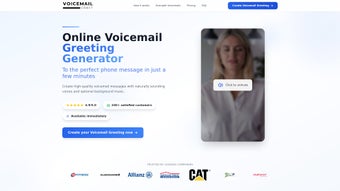

Download VoiceMailCraft – Create Custom Voicemail Greetings Easily
Overview
In today’s hyper‑connected world, the first impression often happens before a call is even answered. VoiceMailCraft answers that challenge by providing a simple, web‑based platform that lets anyone craft professional, personalized voicemail greetings and on‑hold messages in just a few clicks. Whether you’re a small‑business owner who wants a polished “We’re currently away” message, a freelancer needing a friendly “Leave a message” greeting, or a corporate team looking to brand every hold line with a consistent voice, VoiceMailCraft delivers the tools you need without the steep learning curve of traditional audio‑editing software.
The core idea behind VoiceMailCraft is accessibility. You don’t have to download bulky programs, install plug‑ins, or hire a voice‑over artist. The service runs entirely in your browser, letting you type the exact script you want, select from a library of natural‑sounding voices, and instantly generate a high‑quality audio file ready for upload to any phone system.
The platform also supports multiple languages and a range of accents, ensuring that non‑English speakers or international brands can maintain a consistent tone across markets.
Beyond basic text‑to‑speech, VoiceMailCraft offers optional background music, pre‑written script templates for common scenarios (vacation notices, after‑hours messages, promotional hold messages), and a preview function that lets you listen to the final product before you download. All files are delivered in standard formats (MP3, WAV) compatible with most PBX, VoIP, and mobile voicemail systems.
The result is a secure, fast, and cost‑effective way to elevate your voicemail experience and reinforce your brand’s professionalism every time a caller reaches the voicemail box.
Key Features & Benefits
Feature List
- Instant text‑to‑speech conversion with high‑quality, natural voices.
- Multi‑language support (English, Spanish, French, German, Mandarin, and more).
- Variety of accents (American, British, Australian, Indian, etc.).
- Background music library with royalty‑free tracks.
- Pre‑written script templates for vacations, business hours, promotions, and more.
- Real‑time preview and edit before final download.
- One‑click download in MP3 or WAV format.
- Secure cloud processing – no personal data stored after generation.
- Responsive design works on Windows, macOS, Android, and iOS browsers.
- Free basic tier with optional premium voice packs.
Each of these features has been designed with the end‑user in mind. The text‑to‑speech engine leverages the latest neural‑network models, which means the generated voices sound less robotic and more human‑like, capturing subtle intonations that make a greeting feel genuine. Multi‑language support removes the barrier for global teams, while the accent options let you tailor the voice to match your target audience’s expectations.
Adding background music is as easy as selecting a track from the curated library, adjusting volume levels, and hitting “Apply.” This creates a professional hold experience that can even be used for marketing purposes—think short promotional messages that play while callers wait. The pre‑written script templates serve both inspiration and a time‑saving shortcut; you can select a template, customize the details (dates, contact numbers, etc.), and instantly have a polished greeting ready.
The platform’s real‑time preview eliminates guesswork.
You can listen to the full greeting, tweak pronunciation, adjust pacing, or swap out music without needing to re‑export files. Once satisfied, the one‑click download provides a ready‑to‑use audio file that integrates seamlessly with any standard telephone system, from office PBX hardware to cloud‑based VoIP services like RingCentral or Grasshopper.
Installation, Setup & Compatibility
How to Get Started
VoiceMailCraft is a fully web‑based solution, which means there is no traditional “installation” process. All you need is a modern browser (Chrome, Firefox, Safari, or Edge) and an internet connection. Follow these steps to start creating your custom greetings:
- Visit voicemailcraft.com and click the “Start Free” button.
- Create a quick account using your email address or sign in with Google/Apple for single‑sign‑on convenience.
- Once logged in, you’ll be taken to the Dashboard where you can choose “Create New Greeting.”
- Enter your desired script in the text box. Use the toolbar to add line breaks, emphasize words, or insert placeholders for dynamic content (e.g., your company name).
- Select a voice from the dropdown menu. You can filter by language, gender, and accent.
- Optional: Click “Add Background Music” to browse the royalty‑free library. Adjust the volume slider to balance speech and music.
- Press “Preview” to listen. If needed, go back and edit the script, change the voice, or swap music.
- When satisfied, click “Download.” Choose MP3 for most VoIP platforms or WAV for legacy PBX systems.
- Upload the file to your phone system’s voicemail settings (usually found under “Greeting” or “On‑Hold” options). Follow your provider’s instructions for file size and format limits.
The entire workflow typically takes under five minutes, even for users with no prior audio editing experience.
System Requirements & Operating Systems
Because VoiceMailCraft runs in the browser, it is compatible with virtually any operating system. The supported platforms include Windows 10/11, macOS Catalina and later, Linux distributions with a modern browser, Android 8.0+ and iOS 13+. The only technical requirement is a stable internet connection (minimum 2 Mbps recommended) to ensure smooth voice synthesis and music streaming during preview.
For enterprise users, VoiceMailCraft offers a secure API that can be integrated directly into custom CRM or telephony workflows. The API follows REST standards, uses HTTPS encryption, and requires an API key that can be generated from the account dashboard. This makes it possible to automate greeting generation for large call centers or to dynamically update on‑hold messages based on time‑of‑day or campaign triggers.
Pros, Cons & Expert Review
Pros
- Fast, browser‑based creation – no software download required.
- High‑quality neural voices that sound natural.
- Multi‑language and accent options for global use.
- Background music integration adds a professional touch.
- Free tier available for basic needs.
- Simple preview and one‑click download process.
Cons
- Premium voice packs and some advanced music tracks require a paid subscription.
- Limited offline functionality – requires internet access.
- Advanced audio editing (e.g., precise timing adjustments) is not available.
VoiceMailCraft delivers exactly what its tagline promises – a fast, reliable way to create custom voicemail greetings without the hassle of traditional audio software. The intuitive UI and instant preview make it ideal for small businesses that need to update greetings frequently. While the free tier is generous, power users will likely appreciate the premium voice options that add a more polished, brand‑specific tone. The only drawback is the lack of granular audio editing, but for most voicemail scenarios, the built‑in templates and music library more than compensate. Overall, VoiceMailCraft scores a solid 4.6/5, making it a top recommendation for anyone looking to professionalize their voicemail presence.
Frequently Asked Questions
Is VoiceMailCraft really free to use?
Yes, VoiceMailCraft offers a completely free tier that includes access to the core text‑to‑speech engine, basic voice options, and a selection of background music tracks. Premium voices and exclusive music packs are available through a subscription plan, but the free version is sufficient for most personal and small‑business needs.
Can I use VoiceMailCraft on my mobile phone?
Absolutely. The platform is fully responsive and works on Android and iOS browsers. You can create, preview, and download greetings directly from your smartphone or tablet, making it convenient for on‑the‑go updates.
What audio formats does VoiceMailCraft support?
VoiceMailCraft provides downloads in both MP3 and WAV formats. MP3 is ideal for most VoIP and mobile voicemail systems due to its smaller file size, while WAV is uncompressed and works well with legacy PBX hardware that may require higher fidelity.
Is my data safe when I upload scripts?
Yes. All script data is transmitted over HTTPS and processed in a secure, temporary environment. VoiceMailCraft does not store your text after the audio file is generated, ensuring privacy and compliance with data‑protection regulations.
Can I integrate VoiceMailCraft with my existing phone system automatically?
While VoiceMailCraft does not push files directly to phone systems, the generated MP3/WAV files can be uploaded manually via your provider’s admin portal. For larger organizations, the optional API allows automated generation and retrieval of greetings, which can then be fed into your telephony platform using custom scripts.
Ready to give your callers a professional first impression? Download VoiceMailCraft today and start creating custom voicemail greetings in minutes. Whether you need a simple “I’m away” note or a full‑featured on‑hold experience, the tool’s free tier gets you started instantly—no installation, no hidden fees. Click the button below to sign up, craft your first greeting, and hear the difference a polished voicemail can make for your brand.



.png)



